This one is driving me crazy.
The tray icon shows I have Internet access. I can ping websites…BUT I CANNOT OPEN ANY.
I am on T-Mobile business and have been operating ok, however have noticed drastic losses in performance from time to time. In the past few days I have lost the ability to open any website. Fortunately I have fail-over capabilities, which I am currently running on. I have reset my gateway and switches to no avail. Keep in mind everything works great on my fail-over ISP on the same devices, just another modem.
Inconsistent performance can indicate signal disruption or an overloaded tower. When you cannot load a web site, what do the ping times look like? Can you share a screenshot of the redacted Modem Info page so we can have an idea of what settings are active on the device?
Also, since you have a failover setup can you walk us through what your end to end network configuration looks like? If you bypass your failover device and connect directly to the InvisaGig do you still have the same issue?
Things are back to normal now. I didn’t make any changes, simply operated on my DSL failover ISP for a few days. Switched my gateway back to the IG to do some more data collection and, BOILA!
Strange circumstances. No idea how I could ping a URL but could not open the same site using any browser. In regard to your question regarding the ping, I was getting great response times usually less than 65 milliseconds.
I’ve had random reports of this from T-mobile users. It starts up one day, and then an arbitrary time later it stops doing it. The oddest thing, but it happens.
The fact that it could ping a URL is what baffled me because it must be accessing a DNS server to return the IP. I had the both primary and secondary DNS servers set to IPs outside of my LAN to insure I was acquiring them on the web.
This just happened to me as well. I was dead in the water until I went back to my T-Mobile supplied modem. I haven’t tried to swap again yet - giving it a few days. But it got me thinking - Is there anyway to set up DNS over TLS in the InvisiGig so that DNS requests never need to go through T-Mobile at all?
You have got to be kidding me. The exact same thing started happening to me today with my invisigig. I tore my hair out for hours. Rebooting my Google Nest mesh , rebooting the invisigig, and everything else under the Sun. Finally, I plugged in the old T-Mobile trash can modem, connected it to the Google mesh, and everything worked exactly as it should. Then, I plugged the invisigig back in, and it all went to crap.
(Yes, the same SIM chip is being used in both devices. DNS failure when in the the invisigig, but works on the T-Mobile box)
For now, I have the T-Mobile ‘trash can running, and all is fine. I am 100% sure, this is a DNS issue. Even when I try and slam Google, or cloudflare DNS addresses into my Nest device, it fails with the Invisigig, but works with the T-Mobile trash can.
Hmmm…. Just as a data point, did it do this with no custom DNS settings on the Nest router?
Had anything changed prior to this, or did it just start happening without any changes to the InvisaGig settings or software update at the same time?
The InvisaGig should pass all DNS requests straight through, so it shouldn’t interfere. @ryan would know better about this than I.
The router can be set to do any custom DNS tasks like over TLS, if it is equipped with the capability.
The stock Tmobile gateway does it’s own thing, so I assume it’s just sending the DNS requests to its own Tmobile DNS servers, with no option to do otherwise.
Cloudflare shows a spike in reports yesterday (9/26), but only a handful. openDNS and Google had a few, but more than none.
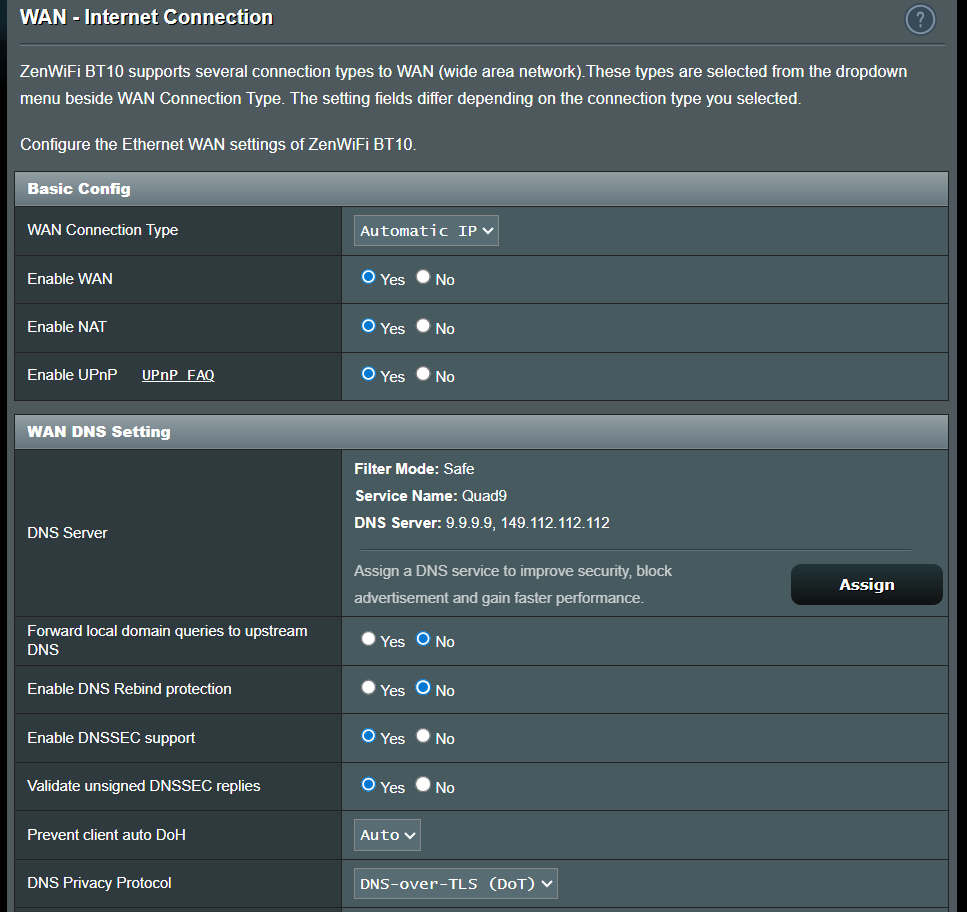
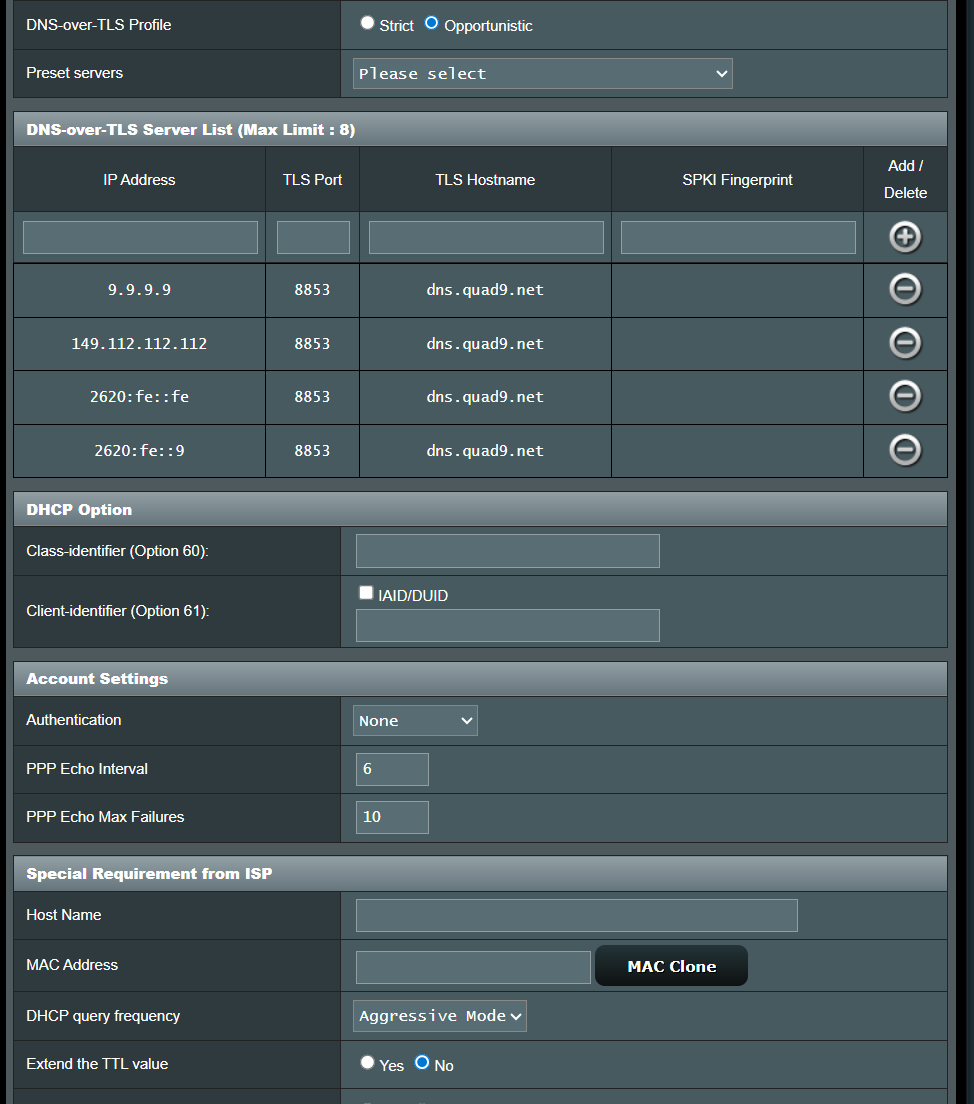
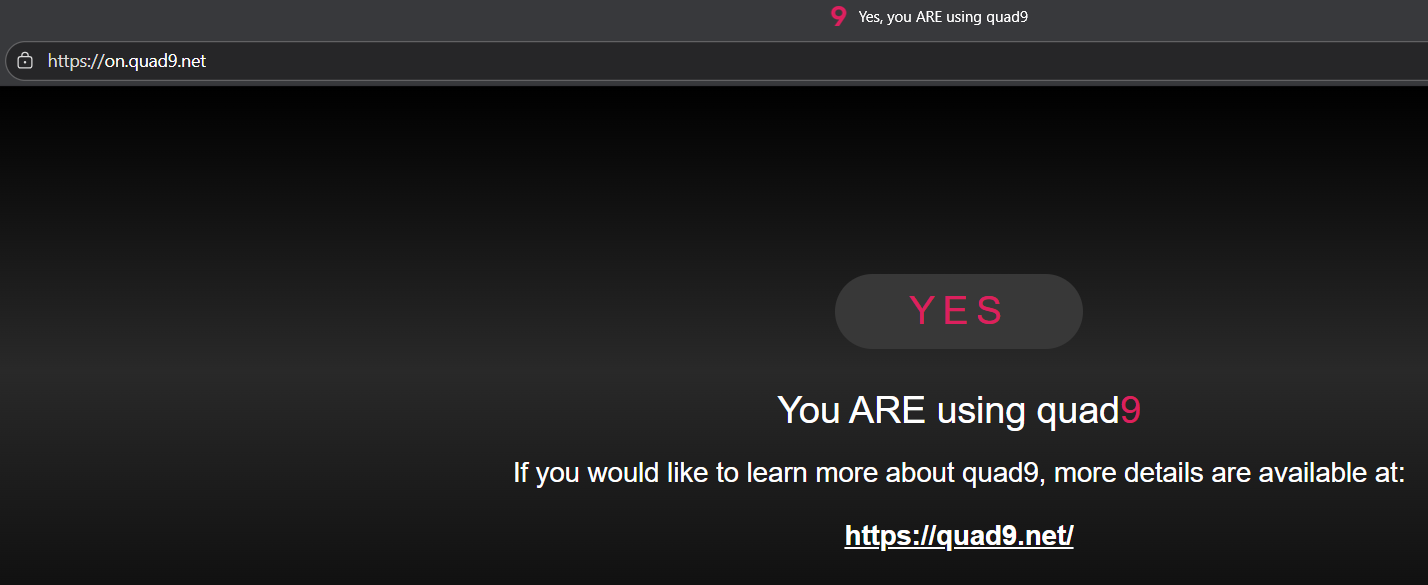
Richard, For me, nothing had changed. Just woke up, trying to start working from home - I got the dreaded “Limited Connectivity” Exclamation on my WiFI logo (means it thinks the WiFi has no internet. Phone was connected via Cell Network (Verizon work phone). TMHI appeared like no internet - except that I did have internet - just couldn’t process DNS requests. The InvisiGig acted just fine. But not my Mesh router (Asus) it could not get any DNS requests through. Tried everything related to DNS from ISP passthrough, direct assigned Servers, DOH, DOT - nothing worked with the InvisiGig as the modem. When I went back to Nokia trashcan - immediately worked fine with ISP Passthrough, then tried alternative direct assigned servers - worked fine, then tried DNS over TLS (DOT) with quad9.net and that worked. quad9’s test on.quad9.net was able to verify the dns requests were being processed by quad9 and not being hijacked by TMHI. So I think I have narrowed it down to the InvisiGig, I haven’t gone back to the InvisiGig yet cause I needed to work. Was going to give it a few days, but I can swap the SIM back to the InvisiGig and test. Anything you want me to report back?
I got disconnected at the exact same time but my system recovered. I use DNSCrypt-Proxy on OPNsense to forward queries to Quad9 using DNSCrypt and DoH.
I had setup both IPv4 and IPv6. So switched back today - the Trashcan overheated as it is known to do. So, I figured the IT gods wanted me to switch back to the InvisiGig to test it…. I obliged. Moved the SIM back to the InvisiGig, rebooted and connection and it is working.
So, it appears to be working. Any suggestions on tightening up the DNS settings?
Strict instead of Opportunistic?
I was trying to think what may have changed around the time it stopped working and the only thing I can think of is that my state adopted an ID Age Verification type law this week - I wonder if T-Mobile was making changes in preparation for that? Odd that it now is working just fine (at least for now).
@handuo thank you for that confirmation. I’ll try mine later tonight. I’m using a Google Nest Mesh (groan….) but have already swapped the DNS to quad9, so hopefully it’ll be a simple SIM switch and my invisagig will be running again.
(Interesting comment about the state’s age verification; it seems possible, but strange that it’d affect the trashcan/T-mobile so significantly. I’m in North Carolina, FWIW. )
I’ll report back late tonight if my Invisagig comes back to life.
My Invisagig is now working again – I’m not thrilled about the process, but it is working.
I swapped to the Quad9 DNS on my Nest unit, and tested with Invisagig. No luck.
Leaving Quad9 intact on the Nest, I proceeded to do a factory reset of the Invisagig and then take 100% of the default entries for TMHI.
Booted everything up, and it’s working now.
Speeds are not great, but they never are more than about 200m downward and 75m upward in the mid-afternoon. At night, speeds improve considerably, so I’ll check again in a few hours.


 – I’m not thrilled about the process, but it is working.